Museum of Flight App Design
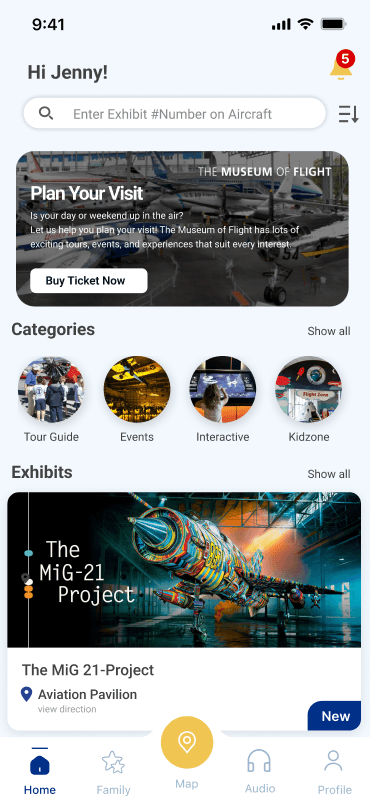
Designing a family-centered museum companion that makes planning, navigating, and exploring feel more intuitive, interactive, and engaging.
THE MUSEUM OF FLIGHT
Visitor Experience App
MY ROLE
Product Designer & UX Researcher
ORGANIZATION
The Museum of Flight Concept Project
TIMELINE
10 Weeks Autumn 2025
TOOLS
Figma, Adobe Photoshop, User Interviews, Competitive Analysis
TEAM
Solo Designer, Persona & Research Driven
BACKGROUND
Project background
The Museum of Flight offers a rich, memorable experience — but navigating that experience can still feel overwhelming, especially for families visiting with children. Between exhibits, events, large gallery spaces, and practical needs like rest areas or food stops, visitors often need more guidance than static maps can provide.
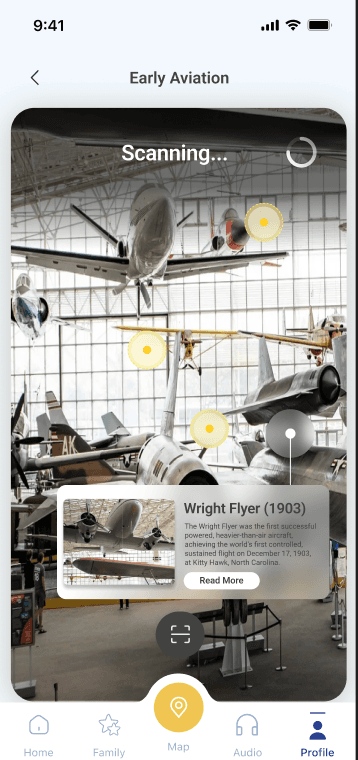
This project explores how a mobile companion app could make the museum visit feel more structured, engaging, and family-friendly — supporting visitors from arrival to exploration by improving wayfinding, surfacing events more clearly, and creating interactive moments that help children stay involved throughout the journey.
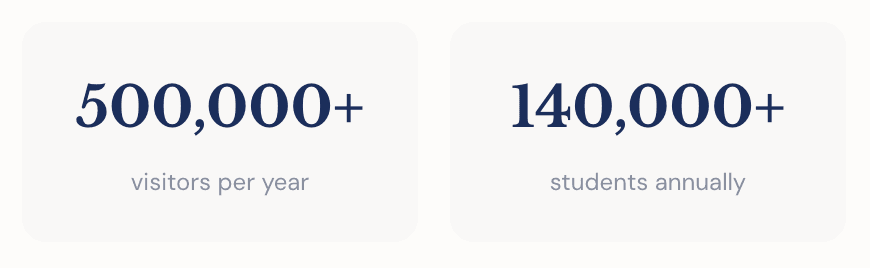
0+
visitors per year
0+
students annually
THE CHALLENGE
The existing experience created friction in key moments
Through research and review, several recurring challenges became clear. Families were not just looking for information — they needed confidence, clarity, and a smoother way to move through the museum.
01
Wayfinding felt difficult
Large gallery spaces and static paper maps made it hard for visitors to orient themselves, find exhibits, or reach amenities. Families relied heavily on asking staff.
02
Events were easy to miss
Programs, talks, and seasonal activities were not always surfaced at the right moment. Families arrived without knowing what was happening that day.
03
Essentials were hard to locate
Parents frequently asked about restrooms, food areas, and seating. Quick access to these basics was a recurring unmet need adding stress.
04
Engagement dropped for children
Without interactive or playful moments, children’s attention shifted and families often cut visits short.
05
Information felt fragmented
The museum’s website was largely static, desktop-oriented, and lacked a family-first mobile planning flow.
06
No personalized routes existed
No way to filter content by age, visit length, or activity type — leaving families to figure out their own path.
“How might we help families navigate the museum with more confidence, discover more of what it offers, and keep every age group engaged throughout the visit?”
GOALS
What we set out to achieve
The design direction focused on reducing friction while creating a more guided, engaging, and family-friendly visit experience.
Click each goal to explore the journey →
1 of 5 explored
NOW EXPLORING
Goal 1
of 5
Simplify planning
Help families understand what's happening, what to prioritize, and how to prepare before moving through the museum.
QUICK JUMP
RESEARCH
Grounding every decision in visitor insight
Interviews with families and staff, observations, surveys, competitive analysis, heuristic review, card sorting, and prototype testing all shaped the concept. Together they revealed that families need a companion that reduces decision fatigue and makes the visit feel guided.
Your Gallery Tour
Click each exhibit to examine the research
1/7
exhibits examined
Click any exhibit frame to examine the insight
Now Examining
USER BEHAVIOR
Exhibit #01
Parents need simple trip planning tools
Curator's Notes
Families want to know what's happening before they arrive. They need quick answers about exhibits, events, timing, and logistics — not buried content. Pre-visit clarity reduces stress and helps parents set expectations for kids.
Gallery Map
Sister institutions — What other museums are doing
Smithsonian
AR exhibit guides
Technology-enhanced exploration offers multi-modal learning beyond static plaques.
Exploratorium SF
Child-focused discovery maps
Navigation designed for younger audiences increases engagement with age-appropriate content.
Science Museum UK
Family-mode app features
Dedicated family functionality treats families as a distinct user group, not an afterthought.
PERSONAS
Designing for two audiences at once
Parents need logistics and control. Children need play and discovery. The design challenge was balancing both
Paul & Lisa
Adult Parents · 35-40 · Seattle
Busy suburban professionals who want a balanced, family-friendly experience mixing fun and learning.
Charlie
Child Visitor · 8-12 · Local or Tourist
An energetic kid who learns best through games, audio, and quick tasks. Thrives with badges and challenges.
DESIGN IMPLICATIONS
The flight path from research to product
Every design decision followed a trajectory — from initial discovery through validation. Click any waypoint along the flight path to see how research shaped the final experience.
AWARENESS
0+
Family & Staff Interviews
0
Competitive Audits
0+
Research Field Studies
IMPACT
0+
Screens Designed
0
Families in Usability Testing
0
Rounds of Iteration
TAKEOFF
LANDING
DISCOVERY
RESEARCH INSIGHT
Families struggle with wayfinding and information overload
DESIGN DECISION
Focus on guided experiences and clear navigation
EXPERIENCE STRATEGY
Structured around the rhythm of a visit
Every design decision followed a trajectory — from initial discovery through validation. Click any waypoint along the flight path to see how research shaped the final experience.
Card sorting revealed families group content by activity type, age appropriateness, and visit length — not gallery name. The IA mirrors how visitors break their journey: Arrival → Explore → Recharge.
Click each node to see what it contains →
CORE NAVIGATION — CLICK TO EXPLORE
Home
Planning hub, featured content, quick actions
KEY FEATURES
Key features
Planning tools, navigation support, and interactive experiences in one connected museum companion.
Feature Directory
Browse by category or view all features
Showing 10 of 10 features
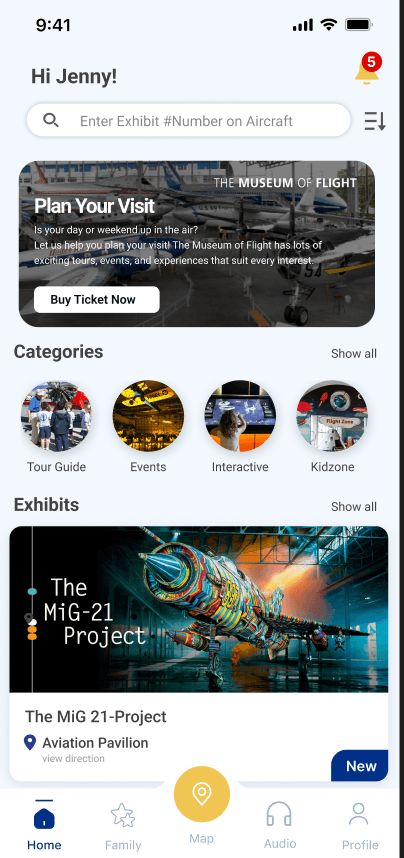
Homepage
Featured exhibits, categories, and family planning shortcuts.
#1
Feature ID
4
In Category
Plan
4
Features
Explore
2
Features
Engage
2
Features
Extend
2
Features
TESTING & ITERATION
What we learned from families
The core task flow — Home → Select Tour → View Map → Follow Route → Complete Challenge → Earn Badge → Track Progress — was validated by five family testers over two iterations.
Core Task Flow
What worked
Floor-level + tour maps together
Checklist-style tour view
Badges and highlighted paths
Bottom navigation consistency
PROTOTYPE
Bringing the concept to life
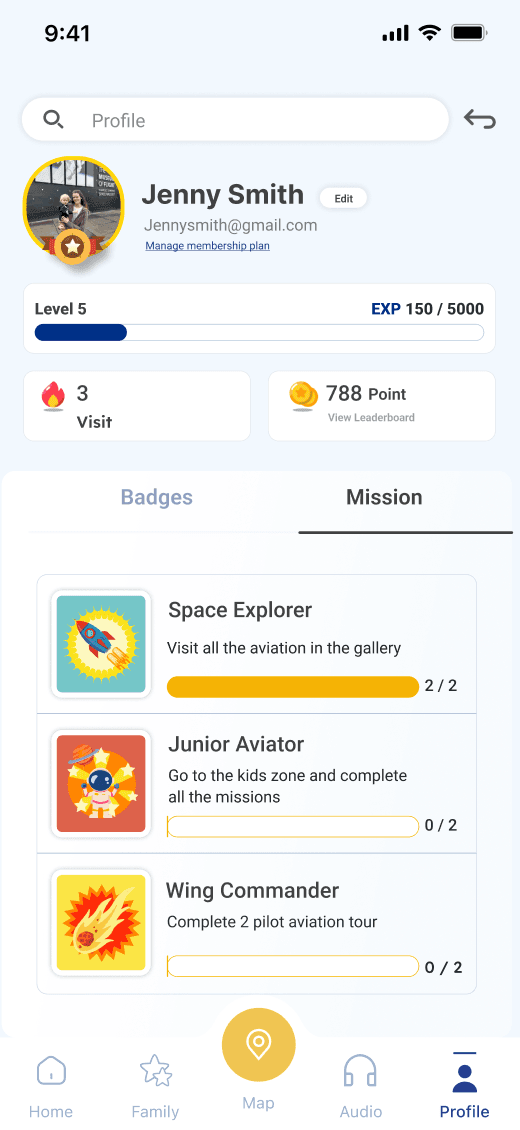
Explore key flows — discovering events, navigating exhibits, and completing missions.
Event Discovery
Families can search and filter upcoming events, view them on a calendar, see detailed information, and get directions to event locations.
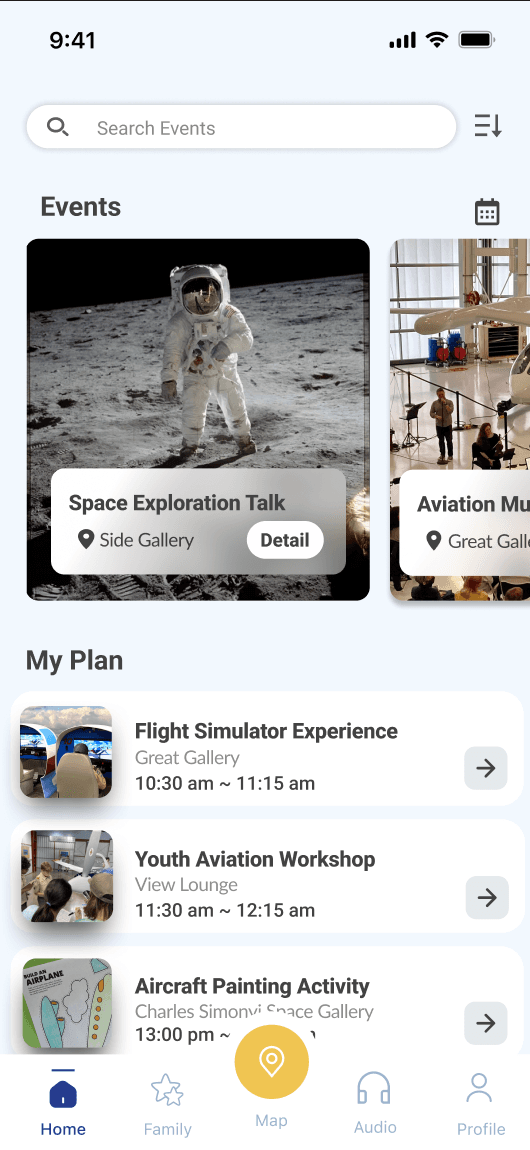
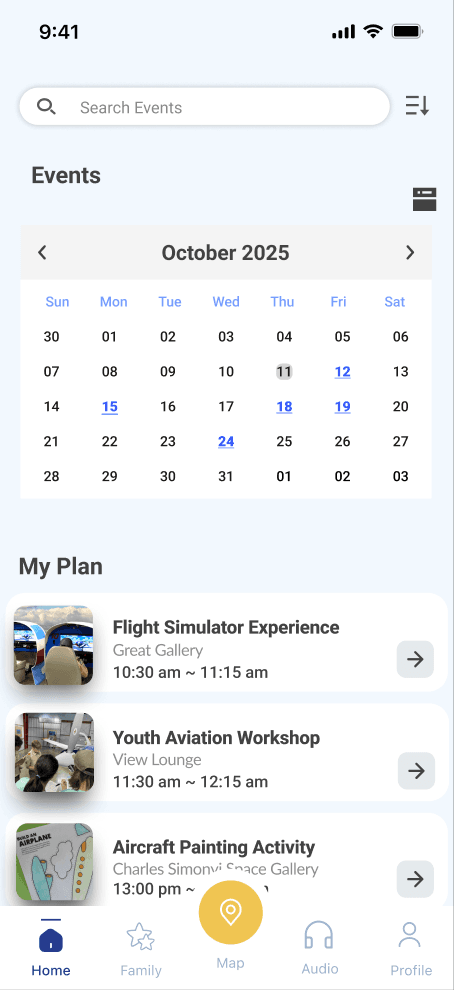
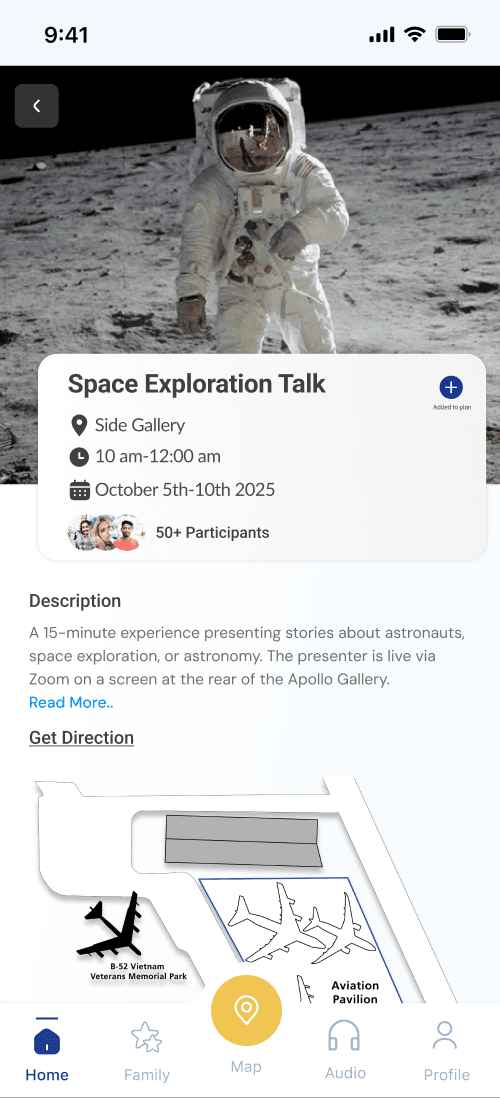
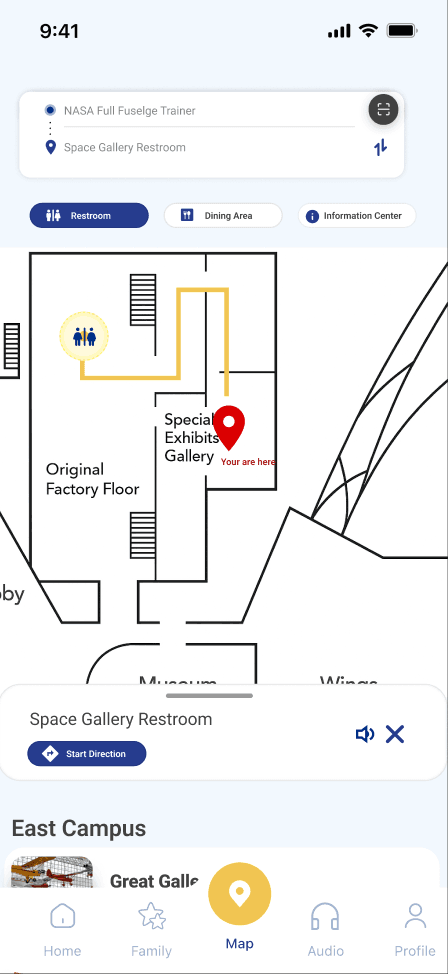
Search → Calendar → Detail → Directions
REFLECTION
Designing for a more confident, connected museum visit
Parents need logistics and control. Children need play and discovery. The design challenge was balancing both
Looking forward
This concept reimagines the museum visit as a guided experience rather than a series of disconnected moments. By combining planning, navigation, event discovery, and playful interaction, the design helps families feel more prepared, more engaged, and less overwhelmed.
Families don't just need information — they need reassurance, flexibility, and moments that make the visit memorable for every age group.
DESIGNER'S NOTE
The app had to work as both a parent's planning companion and a child's interactive playground — and neither audience could be an afterthought.
WHAT WORKED
What Worked
The Arrival → Explore → Recharge flow felt intuitive. Gamification kept children curious. Guided routes gave confidence without GPS. Checklist tours resonated with parents.
FUTURE
Future Opportunities
Personalized recommendations, multilingual and ADA-compliant UI, wayfinding signage tied to app routes, and post-visit engagement to extend learning.
CONSTRAINT
Key Constraint
GPS wasn't feasible — but this became a design opportunity. Guided routes, visual markers, and step-based directions work reliably without indoor positioning.